Choose how you practice
Enable the exercise types you want: matching, typing, listening, pronunciation, missing words, sentence building, and pair selection.
Offline-first vocabulary practice
VocabaDoor turns its CEFR course, a photographed vocabulary page, or a CSV list into practice you control. Choose your levels and exercise types while your words and progress stay on your device.
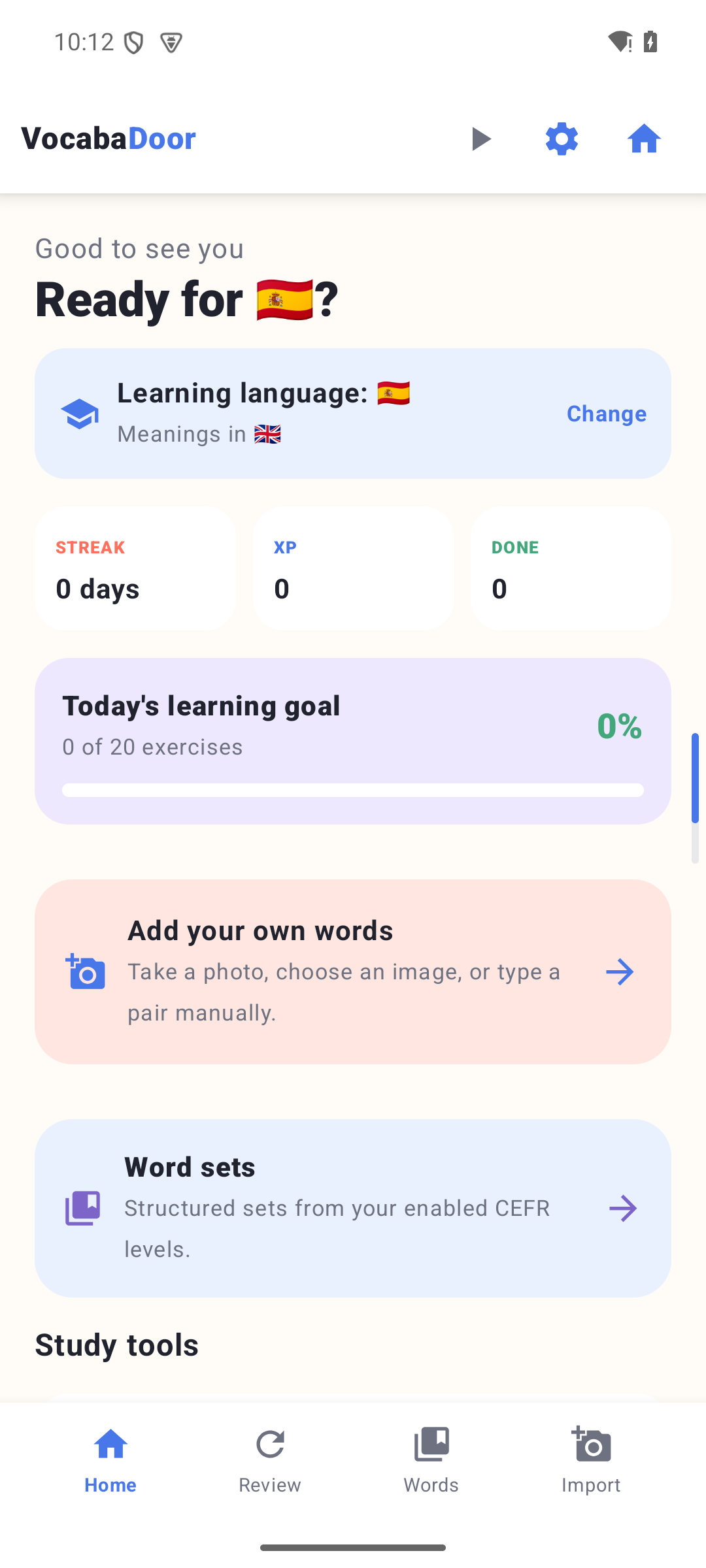
Real app screenAndroid development build
Works without an account
No analytics or social tracking
Offline course and image recognition
Built for useful repetition
Move from structured vocabulary to active recall, listening, sentence work, and focused review without sending your learning history to a service.
Enable the exercise types you want: matching, typing, listening, pronunciation, missing words, sentence building, and pair selection.
Select any CEFR levels from A1 to C2, browse topics and subtopics, set a daily goal, and see what is learned or due for review.
Scan a vocabulary page or import CSV or shared JSON. Review every pair, and switch to a detected language combination when it differs from your settings.
Use Android speech voices, a slower playback control, IPA, and pronunciation respelling alongside the language being practiced.
New in 0.3.6
Optional Focus unlock can pause apps you choose until you answer a vocabulary goal correctly, then unlock them for 15 minutes to 2 hours. It stays off unless you enable it and grant the required Android accessibility access.
Course languages: English, Czech, Spanish, French, and German. Interface languages: English, Czech, and Spanish.
Inside VocabaDoor
These screens were captured from version 0.3.6 with a clean demo profile. They show implemented functionality, not a marketing mock-up.
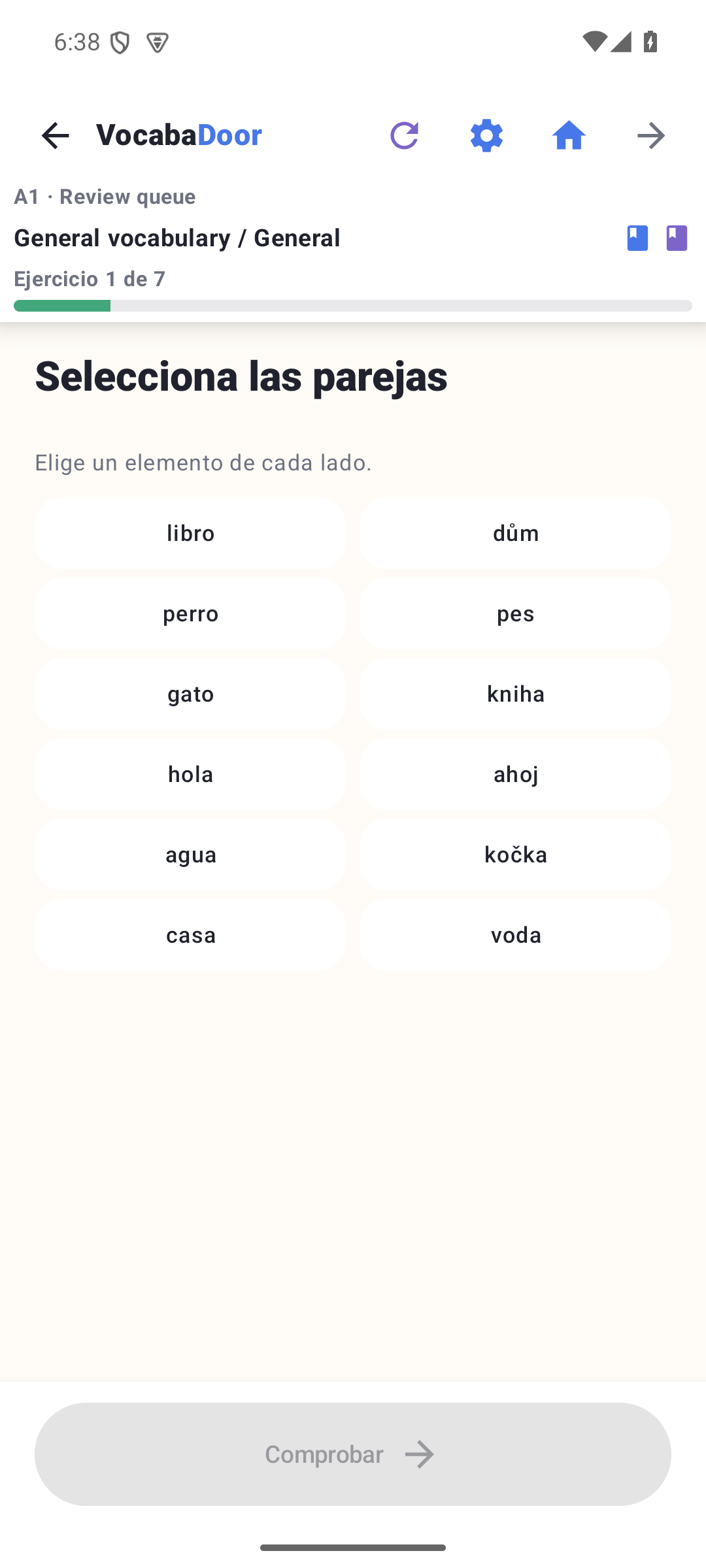
01
Match learning-language words with their meanings in a focused two-column exercise, with lesson context and progress kept visible.
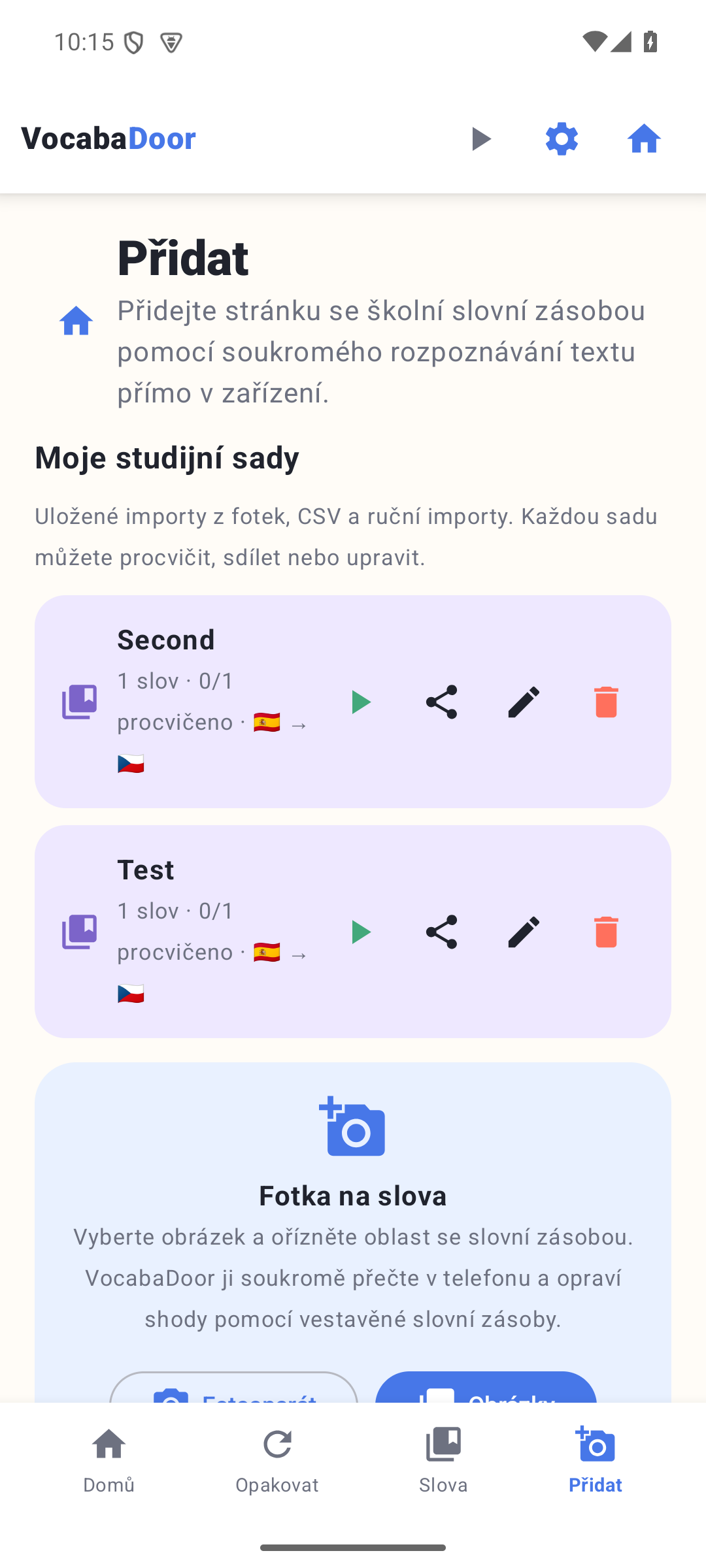
02
Use a camera image, CSV, or shared JSON to prepare editable pairs. If another language combination is detected, VocabaDoor offers to switch after import.
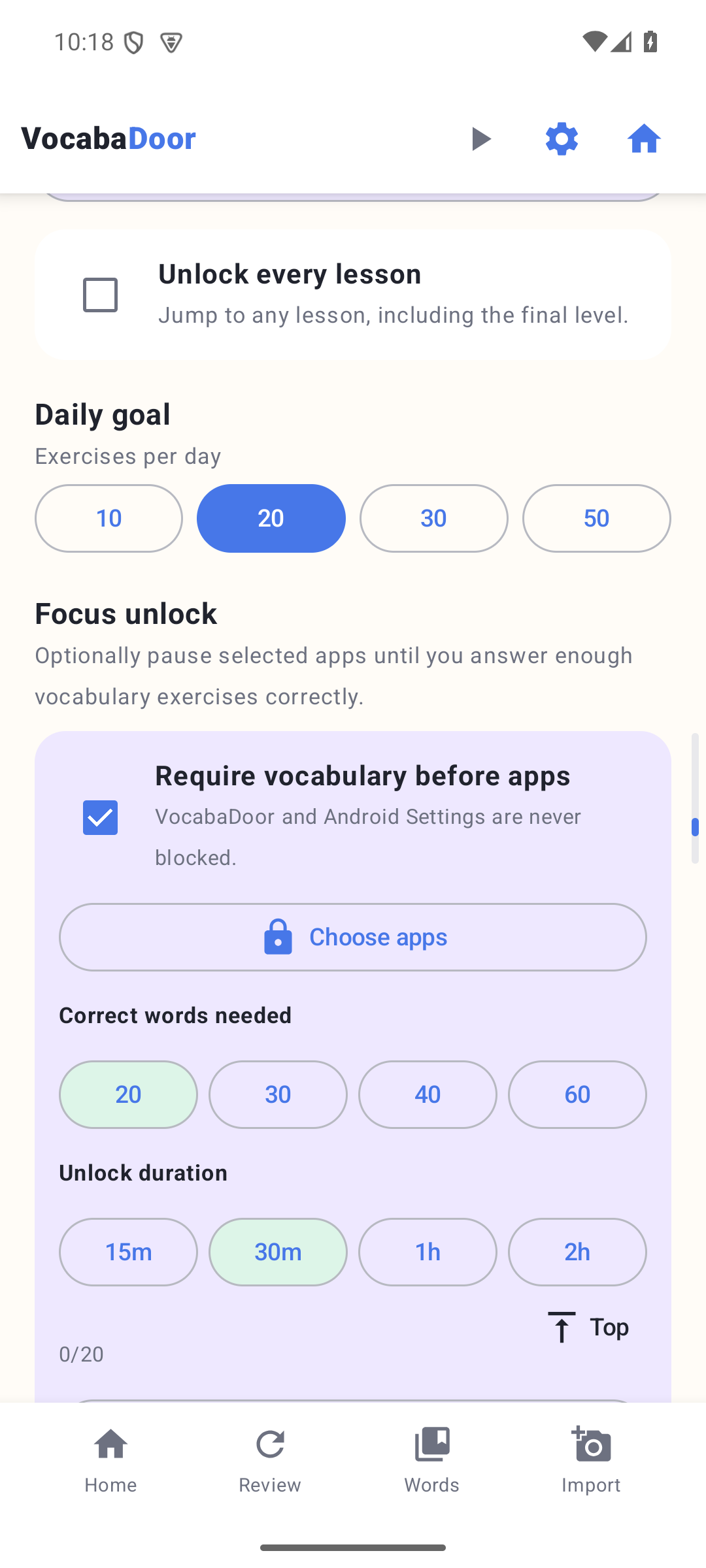
03
Pick the apps to pause, the number of correct words required, and how long the earned unlock lasts. VocabaDoor and Android Settings stay available.
04
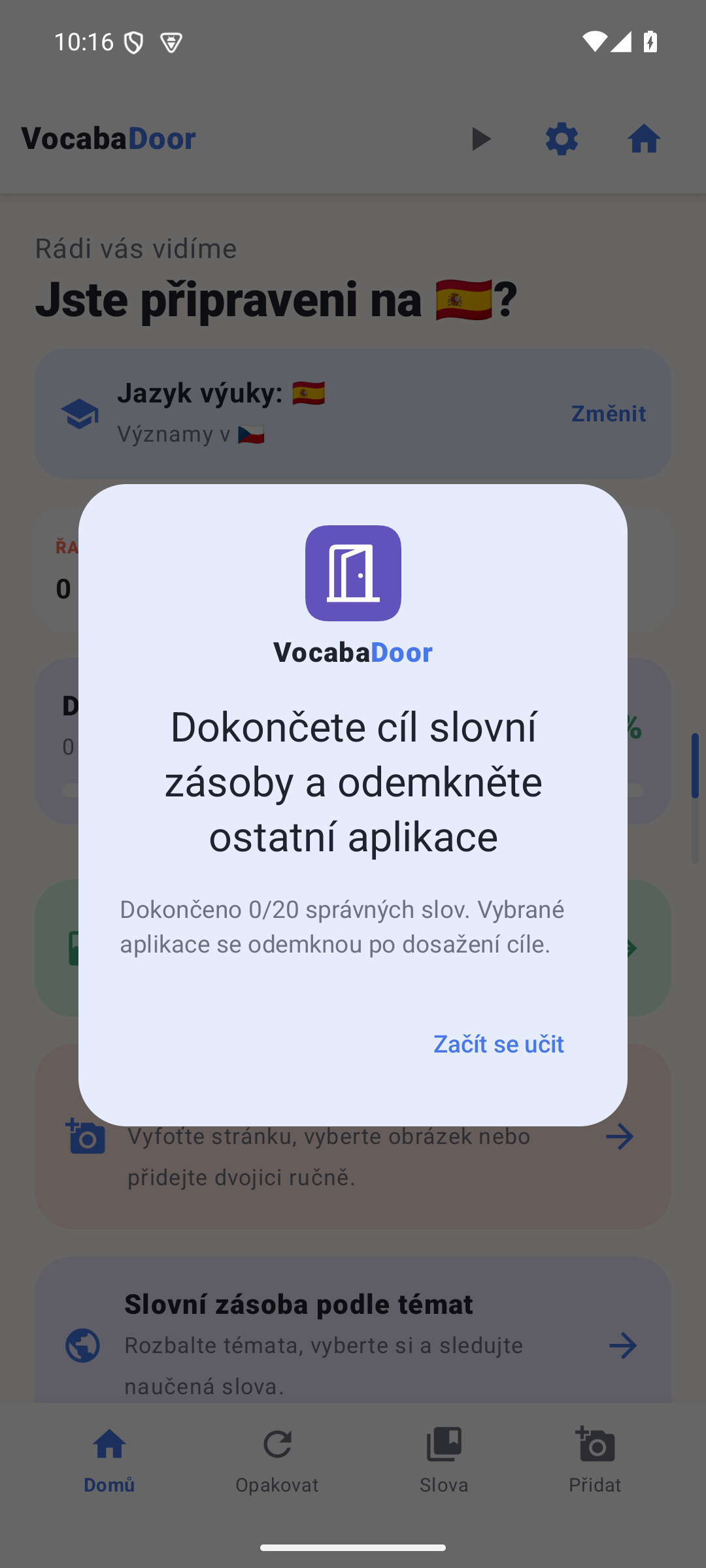
When a selected app is still locked, VocabaDoor returns to the front with the current vocabulary goal, progress, and a direct action to start learning.
How it works
Set the language used for instructions and meanings, then choose the language you want to learn. Change either later in Settings.
Select CEFR levels, open a topic or subtopic, review weak words, or practice a set imported from an image, CSV, JSON, or manual entry.
Turn individual exercise types on or off, then practice recognition, recall, listening, pronunciation, pair matching, and sentence ordering.
Mistakes return for more practice while streaks, XP, daily goals, and learned-word counts make progress visible.
Why VocabaDoor?
VocabaDoor is an innovative vocabulary practicing application that turns tedious memorization into an experience you will genuinely love. Our name blends the three pillars of language success: Vocabulary (the words you master), Adore (the passion you develop for learning), and Door (the new opportunities that unlock for you). Don’t just study words—start adoring them.
Questions, answered
No connection is needed for the course, exercises, progress, imports, or on-device image recognition. Android speech playback uses voices installed on your phone; downloading an additional voice may require a connection once.
The current application is built for Android 8.0 and later. There is no verified iPhone or iPad version.
Yes. Type pairs, import a two-column CSV or shared JSON set, or recognize a cropped image. Results stay editable, and VocabaDoor can offer to switch to a different detected language combination.
The bundled course currently supports English, Czech, Spanish, French, and German. The interface itself is available in English, Czech, and Spanish.
Yes. Choose any combination of A1–C2 levels and independently enable or disable each available exercise type in Settings.
It is optional. Choose apps, a correct-word target, and a 15-minute to 2-hour unlock duration. Android accessibility access lets VocabaDoor notice when a selected app opens while locked; it does not read that app’s content.
Not yet. Version 0.3.6 is an active Android development build undergoing release testing. A verified store link will appear here only after a public listing exists.
Android release status
VocabaDoor 0.3.6 is currently an Android development build. Public download and store links are not available yet, so this page does not send you to a placeholder store listing.
